 Login/Register


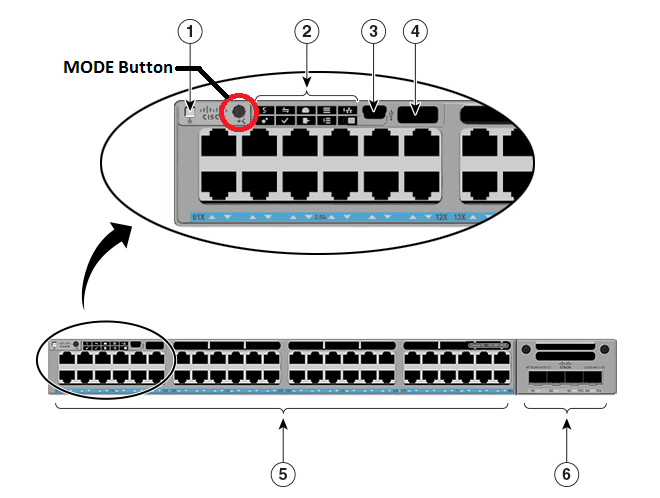
Procedure to reset a Cisco 2960 (or 2950) password without losing the switch configuration. Connect the blue console cable, and open a TTY session: 9600,8,n,1.– Hitting return should give a prompt, confirming the connection. Press and hold the front panel MODE button, and power-up the switch.– After a few seconds, the following should display. Release the MODE button. The system[…]
 Share
Share
1. Download Putty and Start Putty with these Telnet settings 2. Connect the Console Cable (RJ45 to DB9 – Serial port) 3. Open word, then type in the Serial Number of your Fortinet : (for example FG300B3908605531) 4. Login as maintainer 5. Enter Password : bcpbFG300B9998605531 (add bcpb to the beginning of the Serial[…]
