 Login/Register


Where Can I Find Cisco Lab Equipment in Sharjah or UAE? A Complete Buying Guide
Building a Cisco networking lab is one of the most practical ways to learn routing, switching, network troubleshooting, and enterprise network configuration. Whether you are preparing for the CCNA, progressing toward the CCNP, studying cybersecurity, or working as a network engineer, hands-on practice can help turn networking concepts into real technical skills.
If you live in Sharjah, Dubai, Ajman, Abu Dhabi, or another part of the UAE, you have several options for finding Cisco lab equipment. These include local IT hardware suppliers, refurbished networking equipment dealers, authorized Cisco partners, online marketplaces, and specialist networking stores.
However, choosing the right equipment requires more than finding the lowest price. Hardware compatibility, software features, physical condition, licensing, and the type of networking exercises you want to perform all matter.
This guide explains where to look for Cisco lab equipment in Sharjah and the UAE, which devices are suitable for different skill levels, what to check before purchasing, and when virtual networking labs may be a better alternative.
Where Can You Buy Cisco Lab Equipment in Sharjah?
Sharjah has an established market for used and refurbished IT equipment, particularly around its industrial areas. Buyers can find networking switches, routers, access points, rack equipment, and other enterprise hardware through specialist suppliers and used-equipment traders.
For someone building a personal networking lab, refurbished hardware is often worth considering. Older enterprise switches and routers may still be useful for learning fundamental networking concepts, even when they are no longer suitable for production environments.
1. IT hardware suppliers in Sharjah Industrial Areas
Sharjah’s industrial districts are a practical starting point for locating used and refurbished networking hardware.
Industrial Area 6 is one location worth checking for enterprise IT equipment. Network Server AE and Refurbish.ae are examples of businesses listed in this area.
Before visiting a supplier, ask whether the required Cisco model is physically available, whether it has been tested, and whether you can inspect it before purchasing.
Not every IT hardware shop stocks equipment suitable for certification labs. Some businesses focus on enterprise infrastructure, while others mainly handle general computer equipment or used electronics.
2. Networking equipment suppliers in Dubai
Dubai provides additional purchasing options, especially for buyers looking for specific Cisco models or multiple devices.
Networking suppliers operate in areas such as Bur Dubai and Business Bay. Some deal in enterprise networking equipment, while others offer installation services, infrastructure solutions, or project-based procurement.
For a small CCNA lab, a supplier with tested refurbished equipment may be more relevant than a business specializing exclusively in new enterprise deployments.
3. UAE online marketplaces
Online marketplaces are another option for finding second-hand Cisco routers and switches.
Dubizzle, for example, has listings for used networking equipment in Sharjah and Dubai. Individual listings may include older Cisco Catalyst switches, routers, and accessories.
Buying directly from an individual seller can sometimes provide access to inexpensive hardware, but it also introduces risks.
Always check the exact model number, request photographs of the actual device, and verify its functionality. A listing described as a Cisco switch does not necessarily mean the equipment is suitable for the features you need.
For expensive equipment, avoid purchasing solely on the basis of a power-on photograph.
Which Cisco Equipment Is Best for a Home Networking Lab?
The ideal equipment depends on whether you are learning basic networking, preparing for a certification, or practicing more advanced enterprise technologies.
| Equipment | Suitable use | What to consider |
|---|---|---|
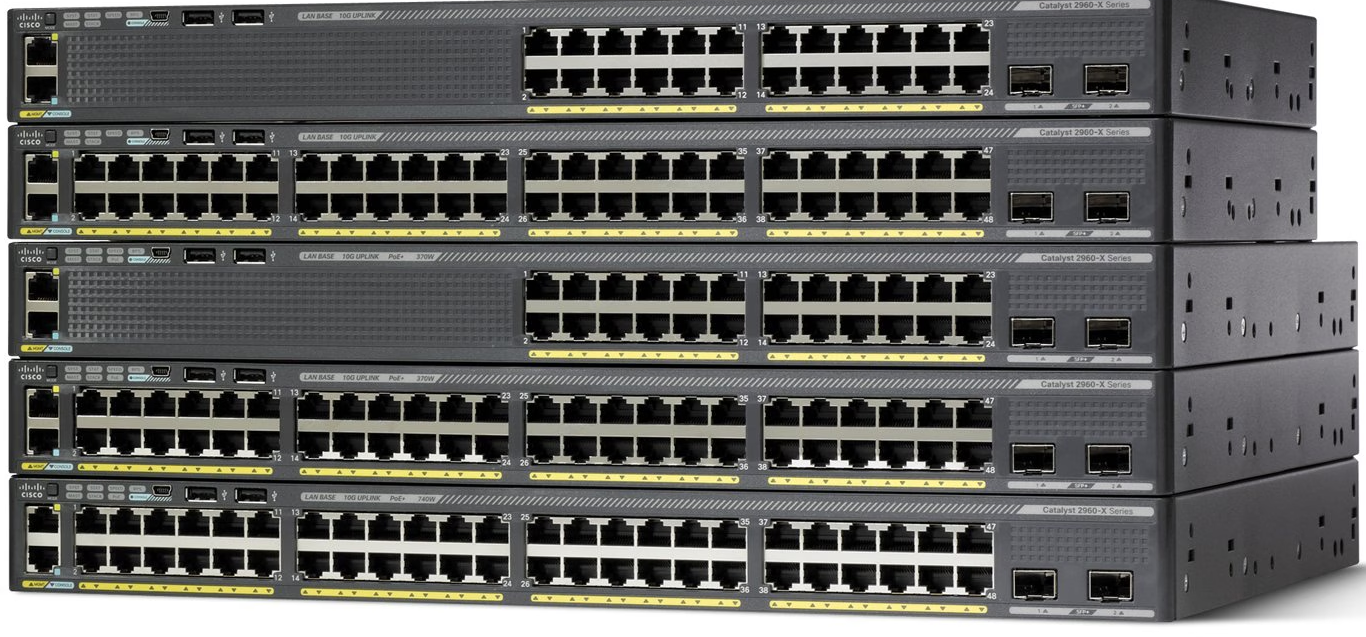
| Cisco Catalyst 2960 / 2960-X | VLANs, trunks, STP, basic switching | Feature set and software version |
| Cisco Catalyst 3560 / 3750 | Layer 2 and Layer 3 switching exercises | Model-specific routing capabilities |
| Cisco ISR 1941 / 2901 / 2911 | Routing, NAT, ACLs, WAN concepts | IOS features, interfaces, age |
| Cisco ISR 4321 / 4331 | More modern routing practice | Licensing, memory, supported software |
| Cisco Catalyst 3650 / 3850 | Enterprise switching concepts | Power, noise, software support |
| Cisco Catalyst 9200 / 9300 | Modern enterprise switching | Higher cost and licensing requirements |
| Cisco Aironet access points | Wireless networking practice | Controller mode, firmware, compatibility |
Older models can still be useful educational tools, but they should not automatically be considered equivalent to newer Cisco platforms.
A feature supported on one model or software image may be unavailable on another. Always verify the hardware and software against your intended lab exercises.
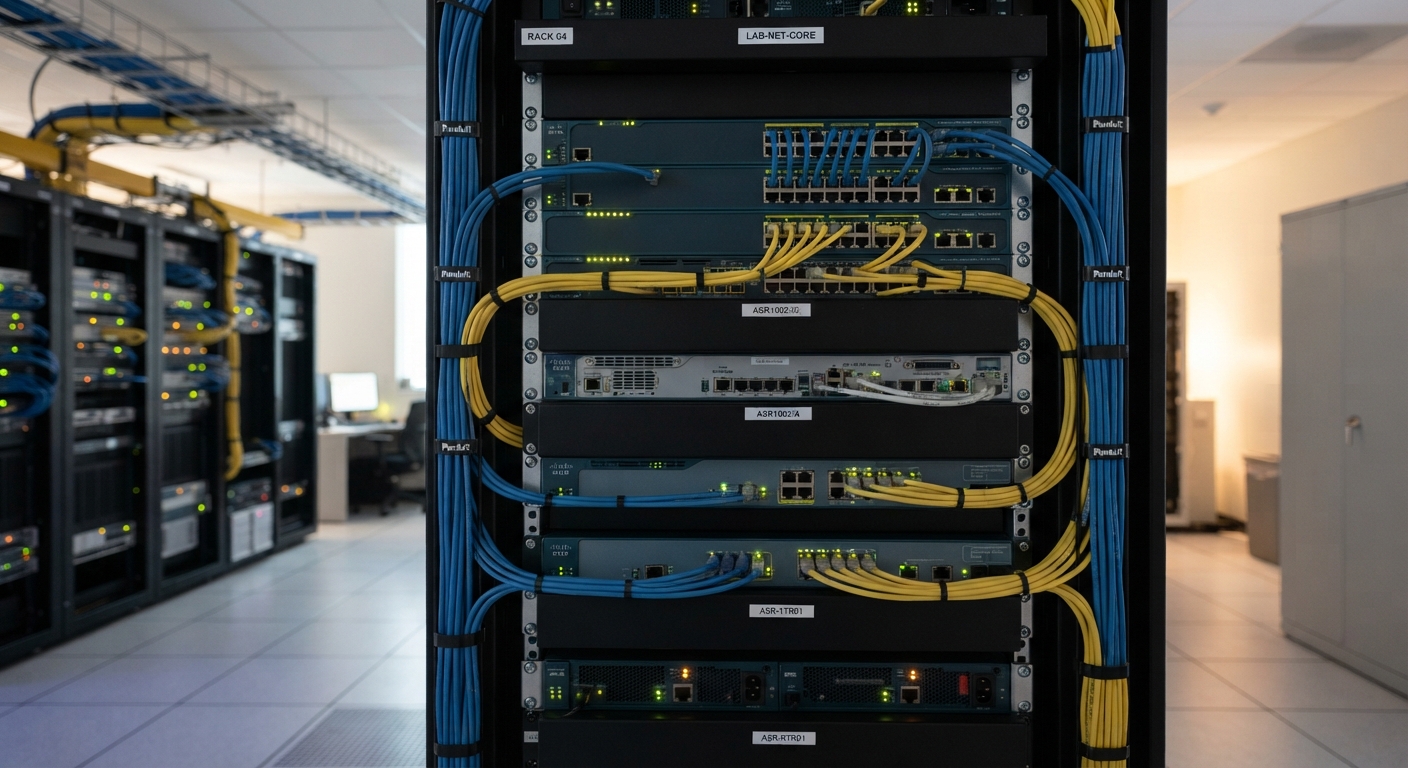
Best Cisco Lab Equipment for CCNA Students
CCNA learners generally need to understand Ethernet switching, VLANs, trunking, spanning tree, IP addressing, routing, access control lists, NAT, and troubleshooting.
A physical lab does not need to be large.
A practical starter setup could include:
- Two managed Cisco switches
- One or two Cisco routers
- Ethernet patch cables
- Appropriate console cables
- A laptop or desktop computer
- A suitable USB-to-serial adapter, where required
With this setup, students can practice connecting devices, accessing the command-line interface, configuring interfaces, and troubleshooting physical connections.
Example CCNA lab topology
Router 1 — Router 2
Each router can connect to a separate switch, with computers or virtual hosts attached to the switching side.
This arrangement allows learners to explore multiple IP networks, static routing, OSPF, VLAN configuration, and connectivity testing, depending on the hardware’s capabilities.
For many beginners, Cisco Packet Tracer is a more economical starting point. Physical equipment becomes especially useful when learning cabling, console access, boot processes, and real-device troubleshooting.
Which Cisco Equipment Should CCNP Students Consider?
CCNP-level practice often involves more complex routing, switching, network services, and troubleshooting.
Depending on the certification track, learners may need to practice topics such as:
- OSPF and BGP
- Route redistribution
- Advanced VLAN and spanning-tree configurations
- EtherChannel
- First-hop redundancy
- Network automation
- Enterprise network troubleshooting
The exact equipment requirements depend on the certification blueprint.
For CCNP ENCOR and ENARSI preparation, virtual platforms such as Cisco Modeling Labs can be particularly useful because they allow learners to create larger topologies without purchasing numerous physical routers.
A hybrid lab combining real switches with virtual routers can also be effective.
Important: Before purchasing older routers for advanced routing practice, confirm support for the required protocols, software features, and configuration commands.
New vs. Used vs. Refurbished Cisco Equipment
Cisco equipment is available in different conditions, and the terminology can sometimes be confusing.
New equipment
New Cisco hardware is generally more appropriate for organizations deploying production networks or requiring current manufacturer support.
Depending on the purchasing channel and product, buyers may have access to manufacturer warranty, technical support, and software entitlements.
Used equipment
Used networking hardware has previously been deployed or owned.
Its condition can vary considerably. One device may have been removed from a clean office environment, while another may have operated continuously in a demanding data center.
Used equipment can be suitable for learning, but buyers should expect greater variation in condition, accessories, and support eligibility.
Refurbished equipment
Refurbished equipment is previously owned hardware that has undergone some form of inspection, testing, repair, cleaning, or preparation for resale.
The extent of refurbishment varies by supplier.
Some sellers perform detailed port and hardware tests, while others may only verify that a device powers on.
Ask what testing was performed and whether a written warranty or return policy is available.
| Factor | New | Used | Refurbished |
|---|---|---|---|
| Initial cost | Usually highest | Often lowest | Often moderate |
| Physical condition | New | Variable | Variable, potentially restored |
| Testing | Factory-tested | Seller-dependent | Refurbisher-dependent |
| Warranty | Product and channel-dependent | Often limited | Supplier-dependent |
| Lab suitability | Good, but potentially costly | Good if compatible | Good if properly tested |
For educational labs, functionality and compatibility are generally more important than cosmetic condition.
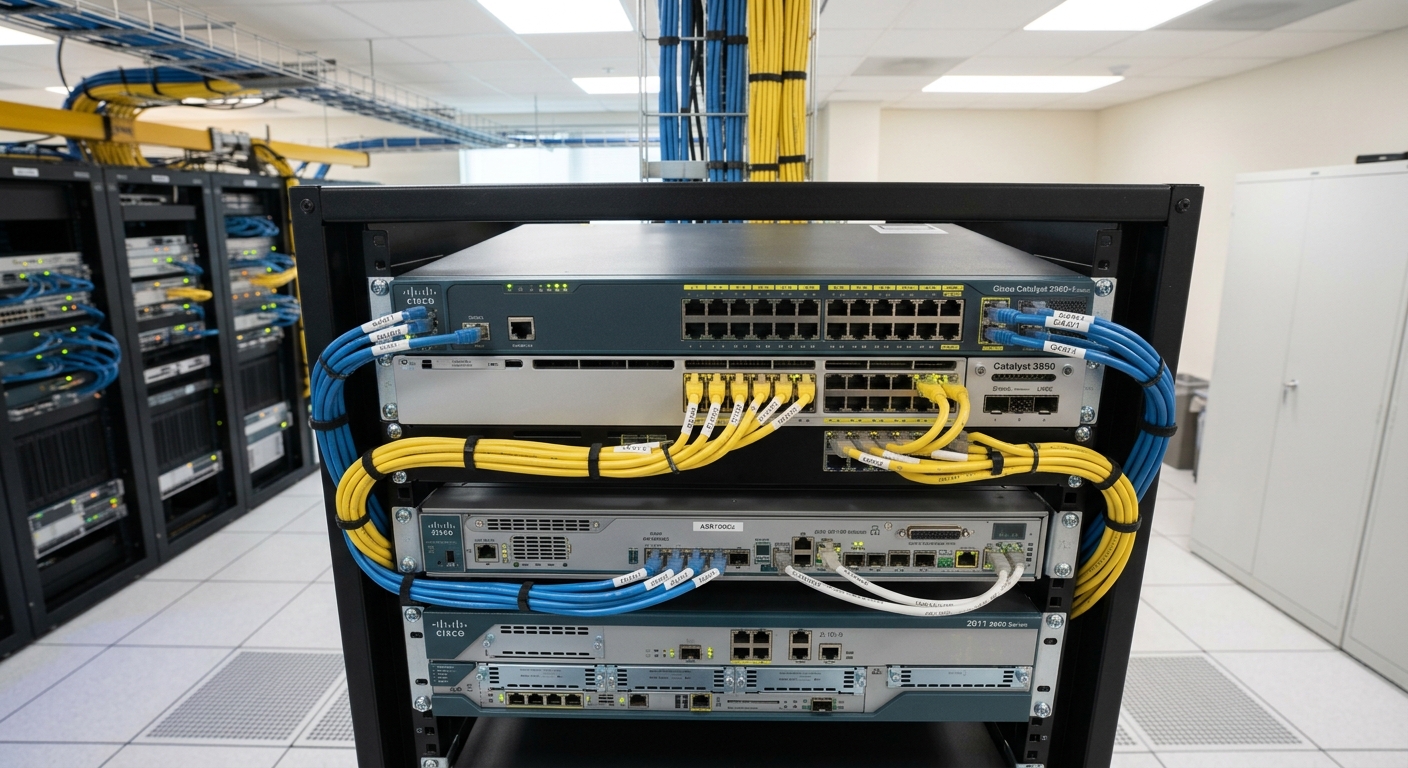
How Much Does Cisco Lab Equipment Cost in the UAE?
Cisco networking hardware prices vary widely.
A device’s cost depends on its model, condition, software entitlement, port count, power supply, accessories, warranty, and whether it is being sold individually or as part of a larger equipment lot.
Older used switches may be available for a relatively small amount, while newer enterprise platforms can cost substantially more.
For example, a September 2026 Dubizzle listing in Sharjah advertised a lot of used Cisco networking devices for AED 250. That is an individual seller’s advertised price, not a verified market average or an indication that the devices are fully functional.
Instead of relying on a single price, compare quotations for the same exact model and configuration.
When requesting a quote, ask for the full model or SKU, hardware condition, software version, included accessories, warranty terms, and final price including VAT where applicable.
A low-priced switch can become expensive if it needs a replacement power supply, compatible transceiver, or additional software entitlement.
What Should You Check Before Buying Used Cisco Equipment?
This is one of the most important parts of buying networking equipment for a lab.
1. Verify the model number
Cisco model numbers often identify hardware variants with different capabilities.
Two devices from the same product family may have different port configurations, PoE support, uplink options, or software requirements.
Ask the seller for a photograph of the physical model and serial-number label.
2. Confirm the device boots correctly
A device powering on is not sufficient evidence that it works properly.
Where possible, request a console demonstration showing that the operating system boots and the device can accept configuration commands.
3. Test Ethernet ports
Connect a known-working cable and endpoint to the ports you intend to use.
Check link status, interface errors, and whether traffic passes correctly.
For PoE switches, verify PoE operation separately if you need to power access points or IP phones.
4. Inspect the console interface
Console access is essential for many networking exercises.
Confirm that the console port works and that you have the correct cable or adapter.
5. Check software and licensing
Not all Cisco software images or feature licenses are transferable with second-hand hardware.
Some advanced features may require specific entitlements, subscriptions, or software versions.
Ask for details of the installed software and verify licensing requirements through Cisco’s official documentation.
6. Check noise, heat, and power consumption
Enterprise equipment can be noisy.
Some switches and routers are designed for server rooms rather than bedrooms or small offices.
If the lab will operate at home, consider fan noise, electrical consumption, ventilation, and available space.
7. Ask about returns and warranty
A short testing period can be valuable when purchasing refurbished hardware.
Obtain the seller’s return and warranty conditions in writing before paying.
Can You Build a Cisco Lab Without Buying Physical Equipment?
Yes. For many students, virtual networking tools provide an efficient way to practice.
Cisco Packet Tracer
Cisco Packet Tracer is a network simulation tool widely used for introductory networking education.
It allows users to create network topologies, connect virtual devices, configure routers and switches, and test network communication.
Packet Tracer is particularly useful for beginners and CCNA learners.
However, it does not reproduce every behavior or feature of actual Cisco hardware.
Cisco Modeling Labs (CML)
Cisco Modeling Labs is Cisco’s network simulation and emulation platform.
It supports more advanced lab environments and can be useful for engineers working with larger or more complex topologies.
Cisco also provides a free CML option with a limited number of nodes, while paid options support different requirements.
Physical vs. virtual labs
| Learning requirement | Physical hardware | Virtual lab |
|---|---|---|
| Basic routing practice | Yes | Yes |
| VLAN configuration | Yes | Yes, platform-dependent |
| Console cable practice | Yes | No physical cabling |
| Hardware troubleshooting | Yes | Limited |
| Large network topologies | Expensive to scale | Usually easier to scale |
| Electricity and physical space | Required | Depends on host platform |
| Learning CLI commands | Yes | Yes |
A virtual lab is often sufficient for initial certification preparation. Physical hardware is particularly valuable when the learning objective involves real equipment handling.
Where Should You Look for Cisco Lab Equipment in the UAE?
The best purchasing route depends on your requirements.
Sharjah: Explore specialist used and refurbished IT hardware suppliers, particularly in industrial areas. Ask for actual stock photographs and testing results.
Dubai: Compare networking equipment suppliers, enterprise IT dealers, and refurbished hardware businesses. Dubai can be useful when searching for a particular model that is not locally available.
Ajman: Check local second-hand IT equipment traders and UAE-wide suppliers that offer delivery.
Abu Dhabi: Consider authorized Cisco partners for supported enterprise equipment or UAE-based refurbished hardware sellers for educational use.
Online: Compare specialist IT equipment websites and marketplace listings, while accounting for delivery, warranty, and return conditions.
When purchasing new Cisco equipment for a production environment, Cisco’s official Partner Locator is a useful resource for identifying appropriate partners.
How to Choose the Right Supplier
Before buying, consider the following questions:
- Does the supplier have the exact Cisco model required?
- Is the device new, used, or refurbished?
- Has the device been tested beyond basic power-on?
- Can the supplier demonstrate console and interface functionality?
- Are the software and licensing details clear?
- Is there a return or replacement policy?
- Are the power supply, rack ears, and other accessories included?
- Can the equipment be collected in Sharjah or delivered elsewhere in the UAE?
The best supplier is not necessarily the one offering the cheapest unit.
For educational use, a properly tested device with a clear return policy may provide better value than a cheaper, untested alternative.
Common Mistakes When Building a Cisco Lab
One common mistake is purchasing too much hardware before understanding the certification requirements.
A student preparing for CCNA may not need several enterprise routers and a full rack of switches.
Another mistake is assuming every Cisco router supports the same features. Older models may lack capabilities needed for particular exercises.
Some learners also overlook physical requirements such as console cables, electrical outlets, rack space, and ventilation.
Finally, buying unsupported hardware without considering software access can make certain labs difficult or impossible to complete.
A better approach is to identify the exercises you want to perform, verify compatible platforms, and purchase only what is necessary.
Frequently Asked Questions
Where can I buy Cisco lab equipment in Sharjah?
Cisco lab equipment can be found through specialist networking suppliers, used IT equipment dealers, and refurbished hardware businesses in Sharjah. Industrial Area 6 is one location to investigate. Confirm model availability and testing before visiting.
Can I buy used Cisco routers in the UAE?
Yes. Used Cisco routers are offered by IT equipment traders and online sellers across the UAE. Availability depends on the specific model and condition.
What is the best Cisco switch for a CCNA lab?
Older Catalyst 2960-series switches are commonly considered for basic switching practice. However, the best choice depends on the exercises you need to complete, supported features, and software version.
Do I need physical Cisco routers for CCNA?
No. Many CCNA networking concepts can be practiced using Cisco Packet Tracer or other suitable virtual lab environments. Physical routers are useful for gaining experience with real hardware.
Are refurbished Cisco switches good for learning?
They can be, provided they function correctly and support the required lab features. Check console access, interfaces, software, and hardware condition.
Can I use Cisco Packet Tracer instead of buying switches?
For many introductory exercises, yes. Packet Tracer is a practical starting point, although it cannot replace every aspect of real hardware experience.
Where can I find Cisco lab equipment for CCNP in Dubai or Sharjah?
Specialist networking equipment suppliers and refurbished enterprise IT dealers are potential sources. For complex CCNP topologies, Cisco Modeling Labs may reduce the amount of physical equipment required.
Is it better to buy new or refurbished Cisco equipment?
For personal learning, properly tested refurbished equipment can offer good value. For business production networks, new or officially supported hardware may be more appropriate.
Final Thoughts
Finding Cisco lab equipment in Sharjah or elsewhere in the UAE is relatively straightforward once you know which hardware you need and where to look.
The more difficult decision is choosing equipment that matches your learning objectives without unnecessary expense.
For beginners, a virtual lab is often the simplest starting point. For students who want experience with real cables, console connections, physical interfaces, and hardware troubleshooting, a small collection of compatible Cisco routers and switches can be worthwhile.
Whether you purchase equipment from a Sharjah hardware supplier, a Dubai networking dealer, or an online marketplace, verify the model, functionality, software requirements, and return policy before committing.
A carefully planned lab with a few suitable devices is usually more useful than a large collection of equipment that does not support the exercises you want to perform.
Verified local buying options
These are useful locations to support the article’s local search intent. Their current stock of specific CCNA or CCNP lab devices has not been independently confirmed.
8CC8+H58, Industrial Area 6 – Industrial Area – Sharjah, United Arab Emirates
Local hardware business in Sharjah Industrial Area 6. A relevant starting point for model-specific inquiries.
 Share
Share