Product Description
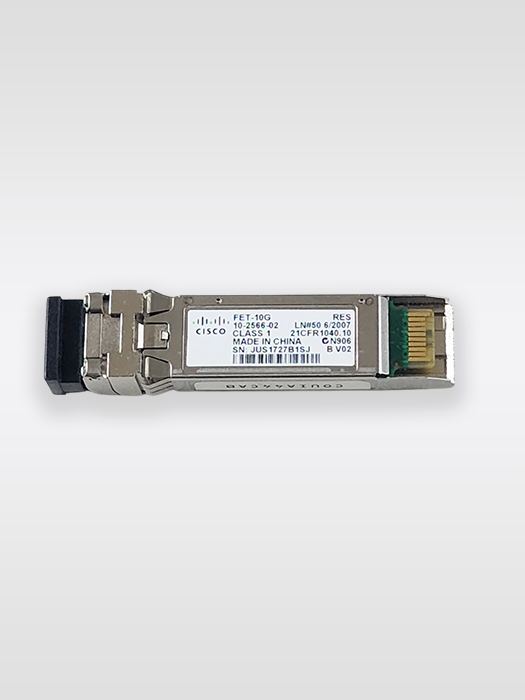
Cisco FET-10G 10-2566-02 10Gb: features and practical details
Accessories: features and practical details
Technical Specifications
| Specification | Details |
|---|---|
| Brand | Cisco |
| Product Model | FET-10G |
| Part Number | 10-2566-02 |
| Product Type | Fabric Extender Transceiver |
| Speed | 10Gbps |
| Form Factor | SFP+ |
| Fiber Type | Multimode Fiber (MMF) |
| OM2 Distance | 25 meters |
| OM3 Distance | 100 meters |
| Power Consumption | Approx. 1W |
| Application | Cisco Nexus Fabric Extender / FEX fabric links |
| Connectivity | Optical fiber |
| Deployment | Data Center / Enterprise Networking |
Cisco’s specification states that the FET-10G is supported for fabric links only, and that one FET-10G must connect to another FET-10G. It is supported on compatible Cisco Nexus 2000 platforms and Cisco Nexus parent-switch fabric links, with platform support varying by Nexus generation.
Compatibility
The FET-10G serves Cisco’s Fabric Extender architecture rather than ordinary switch-to-switch optical connections.
Cisco documentation lists FET-10G support for compatible Nexus 2000 Series Fabric Extenders and fabric links involving Nexus 5000, 6000 and 7000 Series platforms; newer Nexus 2300 documentation also lists supported Nexus platforms. Always verify the exact Nexus model and software version before listing compatibility as guaranteed.
If you are comparing similar equipment, explore our related Accessories for compatible options. View related Accessories.
For manufacturer-level specifications and documentation, you can also check the Cisco official website.
n
Cisco FET-10G 10-2566-02 10Gb NetworkServer.ae supplies NetworkServer.ae with practical product support and a 90-day warranty.
n
If Cisco FET-10G 10-2566-02 10Gb matches your requirements, contact our team to confirm compatibility and availability.
When comparing Cisco FET-10G 10-2566-02, check compatibility, condition, availability and the intended deployment environment before ordering.
n
For example, buyers can compare the model with related equipment before choosing a final configuration.
n
In addition, checking compatibility with the existing network can help avoid installation issues.
n
However, the right choice still depends on the required features, condition and intended deployment.


Reviews
There are no reviews yet.